Why so many AI projects stall
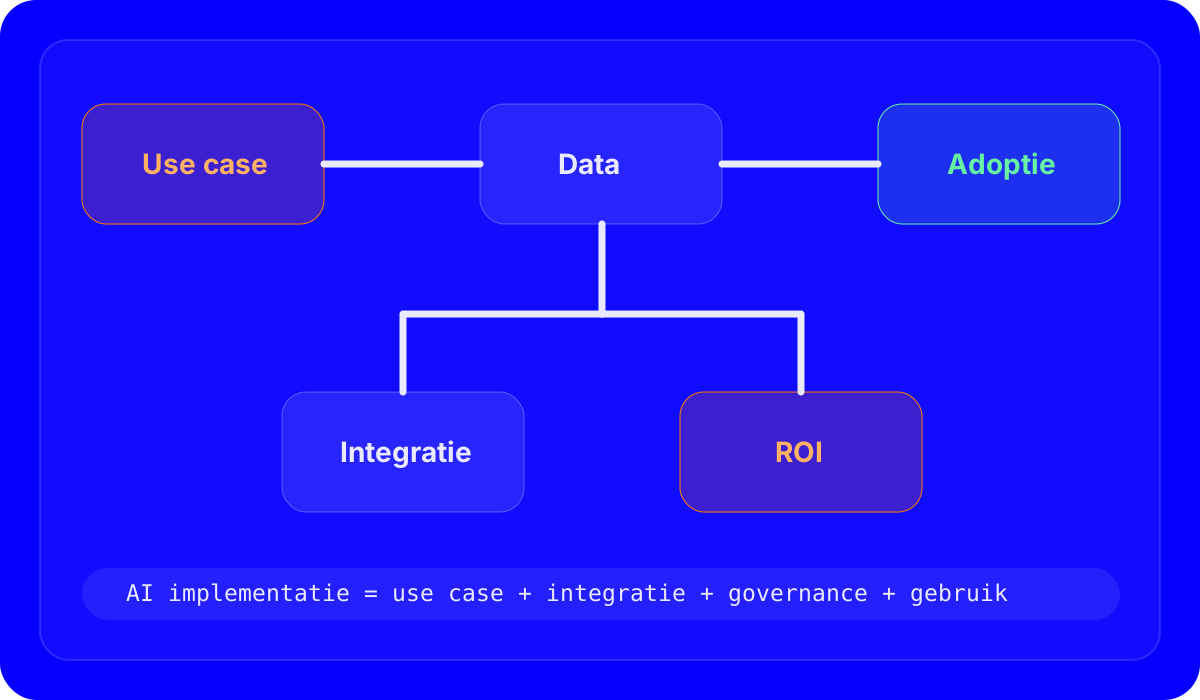
Most AI initiatives fail not because the technology is weak, but because implementation stays too detached from real work. There may be interest, but no clear use case, no owner, no quality control and no integration with the existing stack. The result is an impressive demo without durable adoption.
Good AI implementation work therefore does not start with tooling. It starts with a concrete business problem. Where are you losing time today? Where do errors happen? Which repetitive tasks consume too much senior attention? Which information does not reach the right person quickly enough? Those questions determine whether AI becomes more than a presentation item.
Choosing the right use cases
- High frequency: tasks that happen often are easier to standardize and justify.
- Clear input and output: the sharper the task, the easier it is for AI to become genuinely useful.
- Measurable effect: time saved, lower error rates, faster follow-up or better documentation.
Prompt-driven tools for sales, support or operations are often more useful than broad “AI platforms” at the start.
AI creates value quickly where teams still need to structure or rewrite information manually.
Leads, tickets and documents can be enriched or routed more intelligently before they reach a person.
Why AI integration matters more than standalone tools
An AI tool on its own changes very little if it is not connected to your processes. That is why implementation usually also includes integration: links to your CRM, internal knowledge base, forms, mail flows, data feeds or operational workflows. Only then can AI fetch, process and return information in a way that is genuinely usable for a team.
For some companies, that means an internal assistant. For others, it is a reporting pipeline, a classification layer, a content or support workflow, or a tool that combines data from multiple sources. The value rarely sits in one clever model. It sits in embedding that layer properly into an existing flow.
Where this becomes practical
If your team already has several tasks where AI could save time, but nothing is truly embedded in processes or tools yet, you are in the typical zone for a first implementation trajectory.
View AI implementationInteractive demo
Calculators, planners and other compact interactive tools are very realistic website features. They give visitors something tangible immediately and often outperform yet another block of generic copy.
A simple interactive tool makes one use case easier to understand and more concrete for website visitors.
Adoption is not a detail
Even strong AI solutions fail when teams do not know when they should or should not use a tool. That is why training, governance and expectation setting are part of implementation. Who may publish output? When is human review mandatory? Which prompts are standard? How do you handle privacy or sensitive data? Those are not side issues. They are conditions for adoption.
When custom tools start to make sense
Not every company needs a fully custom AI platform. But once multiple data sources, roles or process steps come together, a lightweight custom layer often becomes valuable. Then you do not get a generic AI chat tool, but a solution that starts from your context, terminology and decision logic.
How to estimate AI implementation ROI more realistically
The fastest value usually comes from narrow, clearly defined use cases with little organizational resistance. From there, you can expand. Big transformation narratives sound attractive, but smaller profitable implementations usually create proof and internal support much faster in practice.
Choose the use case
Do not start by shopping for tools. Start with a task where impact and adoption are realistic.
Integrate
Embed AI into data, systems and workflows so using it feels natural rather than separate.
Scale
Make one trajectory work first, then expand to other teams or processes.
| Proof-of-concept theater | Workable implementation |
|---|---|
| Nice demo without process integration | Clear use case with measurable impact |
| No owner or governance | Clear roles, review rules and adoption support |
| Standalone tool next to the stack | Integration with existing data and workflows |